Article

Access Control Systems Explained: Keycards, PIN, Biometric and App

A plain-English guide to access control: what each method actually does, where each one shines, and how to pick the right one for your site.

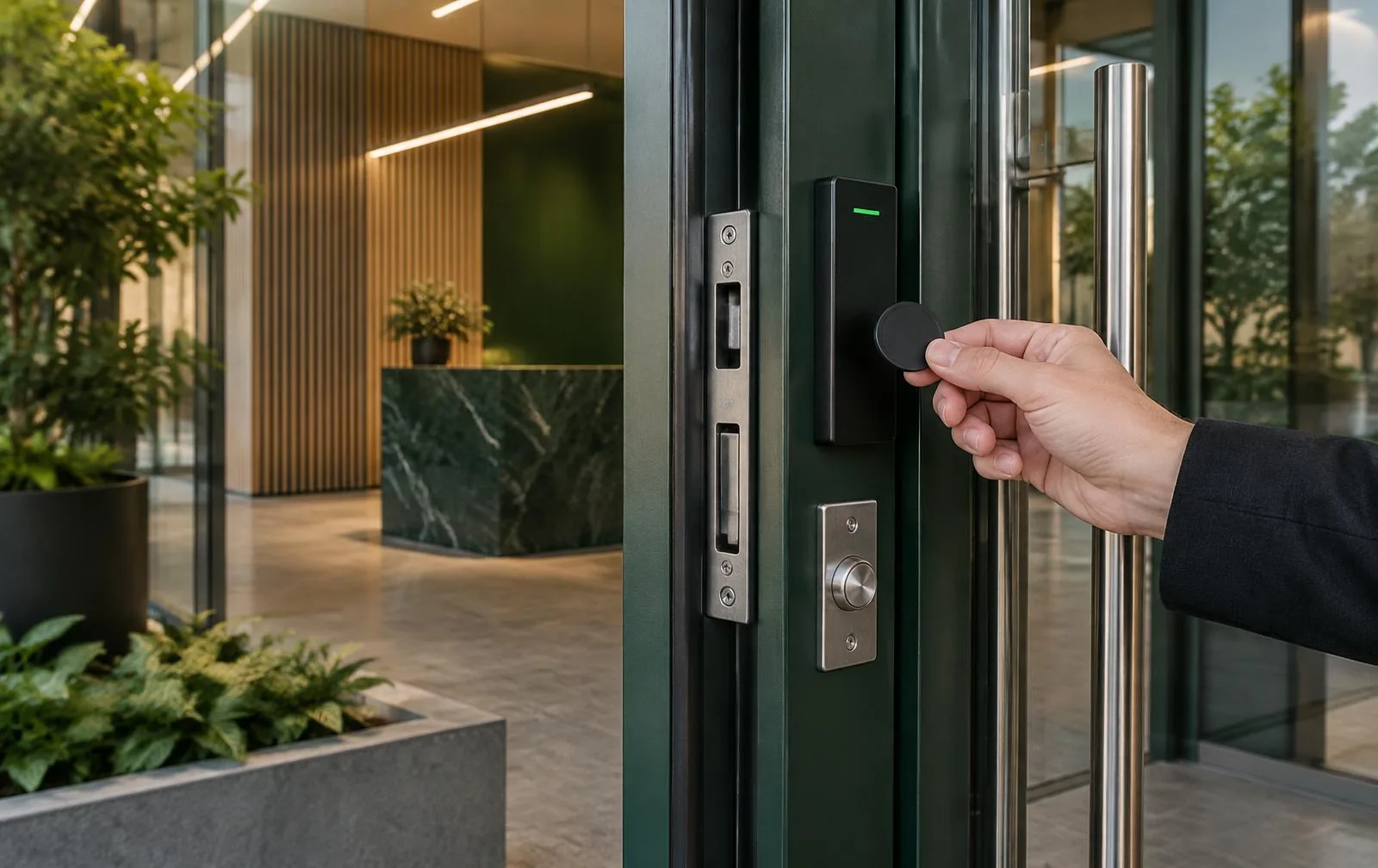
Access control reader, electric strike and key fob at a commercial door
30 January 2026 · 7 min read
Access control reader, electric strike and key fob at a commercial door

Access control is just a fancy way of saying: the right people get into the right doors at the right time. The interesting question is how you prove who you are. There are four common answers, and they each have a sweet spot.

1. Keycard and fob systems

Tap a card or fob on a reader. Easy to issue to staff or residents, easy to revoke when someone leaves or loses theirs. The cards are cheap. Best for: offices, shared buildings, gyms, co-working.

2. PIN code keypads

No hardware to lose. Codes can be issued per person and rotated. Downside: codes get shared, and a worn keypad gives away the digits. Best for: low-traffic side doors, after-hours access, simple homes.

3. Biometric (fingerprint or facial recognition)

Highest assurance: you can't really share or lose a fingerprint. A bit more expensive, slightly slower under bad lighting (facial) or wet hands (fingerprint). Best for: high-security zones, server rooms, executive areas.

4. Mobile app entry

The most modern option. Issue a digital key with a time window: perfect for cleaners, contractors and short-stay rentals. Best for: small offices, gated homes, Airbnb-style properties.

Which one should you actually pick?

We almost always recommend a hybrid. Keycard or app for staff and residents (fast, easy to revoke), PIN as a backup, and biometric only on the doors that genuinely need it. That gives you convenience without paying for biometric on every door.

What every install needs

Whatever method you pick, every door needs the same supporting bits: an electric strike or maglock, a request-to-exit device for free egress, fire-egress compliance, and a power supply with battery backup. We design every install around the door, not just the reader.

Frequently asked questions

Which is better for staff: keycards, PINs or mobile access?

Cards or mobile credentials are usually easier to issue and revoke for individual staff. PINs can be useful as a backup, but shared codes are harder to control. The right choice depends on staff turnover, door traffic and how access will be managed.

Explore access control

Can I remove access when a staff member leaves or a fob is lost?

With a properly configured system, an administrator can revoke an individual credential without changing everyone else's access. Give each person their own credential rather than sharing a single code or card.

Request an access control quote

Can access control work with my alarm?

Yes. Bosch 6000 can handle intrusion and access on the same panel. Other systems may integrate through compatible inputs and outputs; the existing equipment should be checked before quoting.

Compare Bosch alarm options

Can an intercom release a controlled door or gate?

Often, yes. A compatible intercom can let an authorised person speak to a visitor and release the connected door or gate. Cabling, lock hardware and safe exit need to be assessed first.

Explore intercom installation

What happens to access-controlled doors in a power cut?

The door hardware and battery backup determine whether entry stays secured and how long credentials remain usable. Safe exit and fire requirements must be checked for each door; do not assume one fail-safe or fail-secure setup suits every opening.

Plan a compliant installation

Still have a question? Ask us for a free quote or call 0490 094 572.

Related services

Start a conversation

Secure your premises today.

A licensed installer will respond within 24 hours with honest advice and a fixed price.