
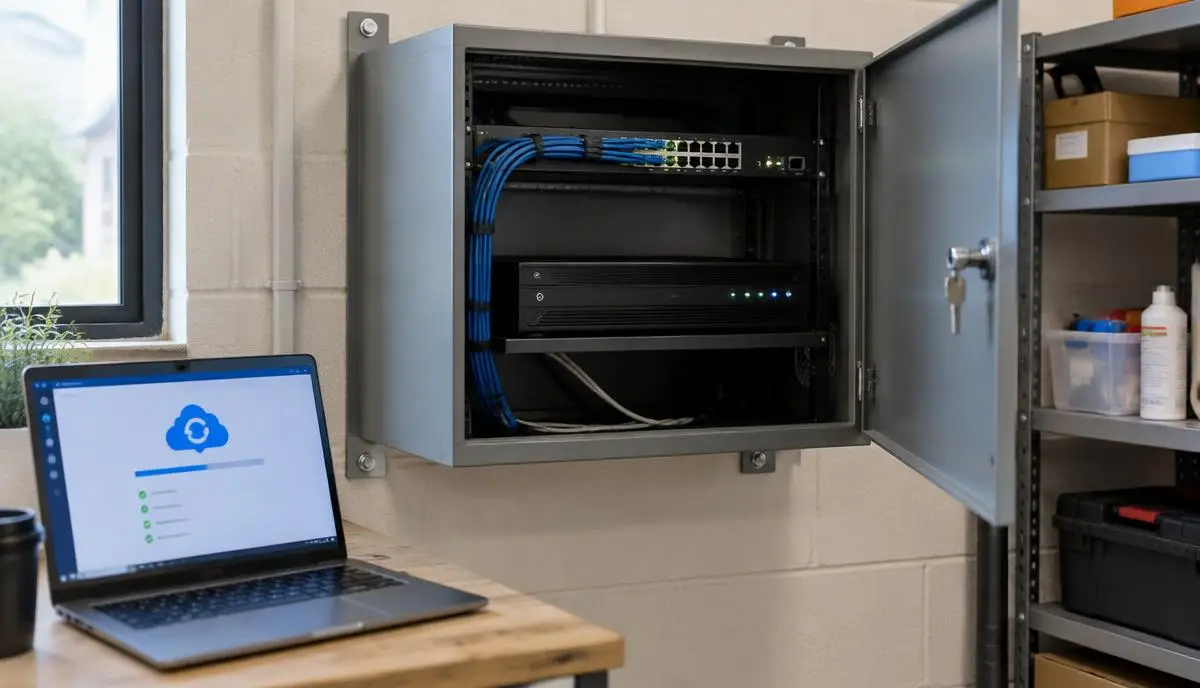
Your cameras may capture a break-in perfectly. But if the only recording is on a box that leaves with the burglar, what can you hand to police? The same problem can arise without a break-in: a failed hard drive can leave you with live pictures but no usable recording.
Offsite CCTV backup means keeping a separate copy of footage away from the property being protected. For Melbourne shop owners, multi-site businesses and homeowners, the aim is straightforward: one stolen recorder or storage failure should not remove your only source of evidence.
The Sydney shop incident: cameras were not enough
Moayad from Active Security described a recent Sydney shop break-in in which the burglar took the CCTV network video recorder (NVR) and its hard drive. According to his account, the owner expected to retrieve recordings when police attended, but the recorder was gone and no footage could be retrieved from it.
This is an account shared with our team, not an independently verified news report. We are not identifying the shop or giving an exact incident date. It illustrates an important design question: if the recorder disappeared tonight, where else would the footage be stored?
Hiding the recorder can reduce the chance of theft, but it does not create another copy. A complete recording plan needs both protection for the equipment and an independent recording destination.
Remote viewing is not the same as remote recording
Being able to watch cameras on your phone does not necessarily mean video is backed up to the cloud. Many apps simply connect to the recorder at your premises. If that recorder is stolen, damaged or offline, playback through the app may disappear too.
Similarly, two drives inside one NVR or a RAID array may help with some drive failures, but both remain vulnerable to theft of the same box. A second recorder in the same shop adds redundancy, not protection from every site-wide incident. Ask your installer to show you a recording stored at a genuinely separate location, not just a live view.
Layer 1: protect the recorder physically
Place the NVR in a restricted, secure location rather than an obvious spot beside the till. Where suitable, a secured, ventilated enclosure and tamper monitoring can make access harder. Heat, service access and electrical safety still matter; an unsuitable sealed cupboard can shorten equipment life.
Physical protection buys time. It does not protect recordings against every theft, fire or drive failure, so it should complement backup rather than replace it.
Layer 2: record inside compatible cameras
Some IP cameras can record to an onboard microSD card while also sending video to the NVR. With a supported, high-endurance surveillance card and the correct recording settings, camera storage can preserve a separate local recording if the NVR stops working.
This is not offsite storage. If the camera is stolen or damaged, its card can be lost as well. Recording also needs power: cameras powered directly by the NVR may switch off when that recorder is removed. An independently powered PoE switch and correctly sized battery backup can reduce that shared point of failure, subject to the installation design.
Do not assume an SD slot means fallback recording is enabled. Check compatibility, recording schedules, storage health, overwrite settings and whether missing recordings can be retrieved after an outage.
Layer 3: send selected clips to cloud storage
A compatible camera, recorder or gateway can upload event recordings to a supported cloud service. This puts selected footage outside the building and can use less upload capacity than continuously sending every camera stream.
Event recording has limits. Detection can miss an event, clips may omit the lead-up, and uploads take time. A snapshot notification is not a full video backup. If power or internet is lost before a clip uploads, it may never reach the cloud; later upload depends on the product and its buffering settings.
Confirm what is actually stored, the retention period, retrieval process, subscription costs and account access. Cloud services differ: some support continuous recording, while others store only events. Neither the word 'cloud' nor a phone notification guarantees that the footage you need is available.
Layer 4: record at a second site
For a business with another branch, office or suitable offsite location, a compatible secondary NVR, video management system or NAS can provide a second recording destination. An NVR is a dedicated recorder; a NAS is network storage and needs compatible recording software or a supported integration, not just spare disk space.
Depending on the equipment, the second site may record selected live streams independently or receive exported or replicated recordings. These are different designs: a nightly copy can leave the most recent incident unprotected, whereas independent continuous recording needs a reliable connection throughout the day.
Use a professionally configured secure connection, such as a site-to-site VPN, with restricted permissions. Avoid exposing recorder administration directly to the internet. The receiving site also needs adequate storage, power, network reliability and controlled access. A backup that shares the same compromised account or deletion permissions is not fully independent.
Which backup option fits your property?
For many homes and small shops, continuous local recording with offsite copies of important events is a practical starting point. Compatible camera storage can add another local layer. Higher-risk businesses may need continuous recording of critical entrances and stock areas at a second location.
A hybrid system is not the only valid choice. Fully cloud-managed systems can also suit a site, including some wired systems with continuous recording. Compare the actual recording behaviour, ongoing cost and outage protection rather than treating all cloud cameras or all NVRs as equivalent.
- Small shop: secure the recorder and assess offsite coverage of entrances, counters and high-value stock.
- Home: assess entry-point recording, privacy, subscription costs and whether event clips provide enough context.
- Multi-site business: consider independent remote recording of priority channels and separately managed access.
- Any site: monitor drive health and recording failures, and check that someone receives and acts on alerts.
How much internet upload does offsite recording need?
Upload speed matters more than the download speed printed on an internet plan. As an illustration, four cameras each sending a constant 2 Mbps stream need about 8 Mbps of sustained upload before network overhead and other traffic. That is roughly 86 GB per day in decimal units, assuming those streams run continuously at that bitrate.
Actual use changes with resolution, compression, frame rate, scene activity and recording settings. Event clips usually use less data, but busy scenes can generate many events. Measure available upload capacity and allow headroom; do not choose a backup plan from camera megapixels alone.
Battery backup should cover the equipment needed for the chosen recording path, potentially cameras, PoE switches, router and internet terminal as well as the recorder. Mobile internet failover can help, but coverage, data limits and failover delay must be tested. No setup can promise uninterrupted footage under every condition.
Keep footage useful for police and insurers
A backup is useful only if you can find and export the right recording. Check accurate time settings, image quality at important entrances, low-light performance and enough retention to discover an incident before recordings overwrite.
After an incident, preserve the relevant recordings and surrounding context promptly. Keep the original export where possible, retain a separate copy and record when and from which camera it was obtained. Police and insurers may request particular formats or information; confirm their requirements rather than assuming one export guarantees an accepted claim or an identification.
Footage can contain personal information. Limit access to authorised people, use strong unique passwords and MFA where supported, and check where a cloud provider stores data. Set retention for a clear purpose and consider applicable privacy and surveillance obligations, especially for workplaces and audio recording.
Test your backup before you need it
Ask your installer to run a controlled test without damaging equipment or disrupting a working system. Do not pull power from a recorder that is writing to disk. Agree on safe test steps and document what continues recording, what stops and how recovery works.
- Play back a fresh recording directly from the offsite destination, not through the original NVR.
- Check a daytime and night-time sample and export both to a separate device.
- Safely simulate recorder unavailability and confirm the independent recording path behaves as designed.
- Test internet interruption separately and confirm any local buffering and later upload actually work.
- Confirm storage-failure alerts reach the right person and check retention at each destination.
- Repeat checks after equipment, passwords, internet providers or recording settings change.
Plan an offsite CCTV backup with Active Security
Send us the camera and recorder model numbers, camera count, internet upload speed and the areas you most need to protect. Tell us whether you have another location available and whether you need continuous offsite recording or selected event clips.
Our Melbourne team can assess supported options for your existing system or include backup requirements in a new CCTV installation quote. Compatibility and site conditions come first: not every recorder or camera supports every cloud or second-site option.
Technical references and further reading
Axis Communications explains how compatible surveillance SD cards can provide primary or redundant camera recording, including storage endurance and health monitoring. These references describe supported Axis equipment, not a guarantee that the same features exist on every brand or model.